
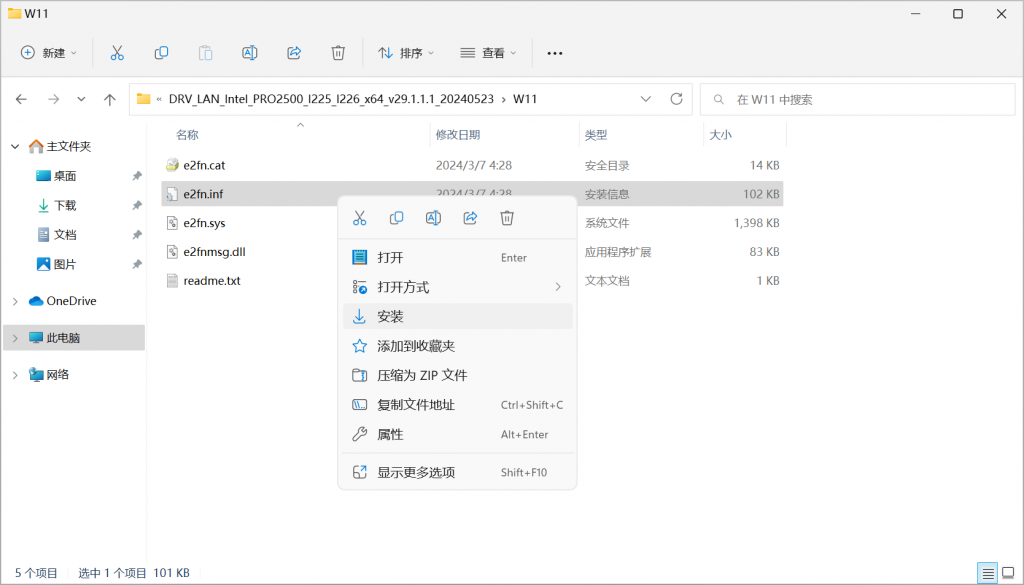
Windows may report an error when installing the Intel i225-V or i226-V 2.5G network adapter through the automatic package. The driver can be installed manually by selecting the matching INF file.
Supported systems: Windows 10 x64, Windows 11 x64, Windows Server 2019 and Windows Server 2022. Windows Server 2016 is not supported.
Download
Intel PRO/2500 i225/i226 driver 29.1.1.1
Install
- Extract the ZIP file.
- Open the folder for your Windows version.
- Right-click
e2fn.infand select Install. - Confirm the success message and restart if required.
For the NDIS68 and WS2022 folders, the INF file is named e2f.inf.
Comments