
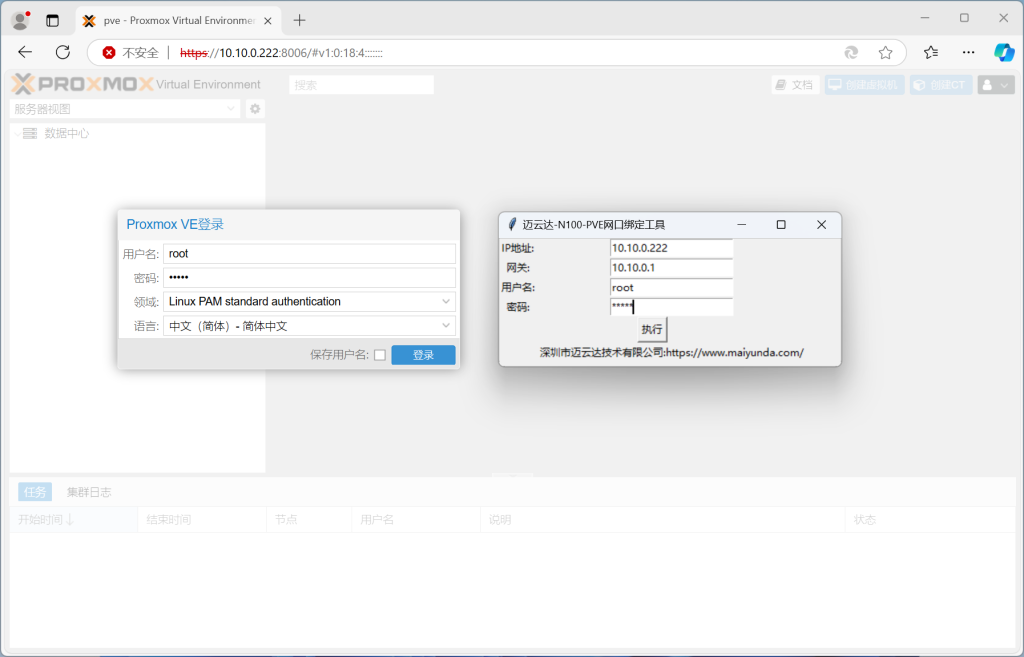
In Proxmox VE, adding or removing PCIe devices can change the network interface ID and make the web management interface unreachable. This Windows utility pins the PCI network device ID so the interface remains stable.
Tested with Proxmox VE 8.2-2 and 8.3-1. Other versions have not been verified.
Download and run
Download MYD-M1-PVE-Network.zip
Run the tool from a Windows machine on the same LAN. Enter the PVE management IP, gateway, username and password. The device restarts automatically after the operation.
Known limitation
If PVE was installed with two drives and a NIC is passed through to a virtual machine, removing a drive can cause a reboot loop after using the tool. Keep only the system drive during installation, or remove the passthrough before changing drives. This is a PVE behavior, not a tool defect.
Comments